


Razer has released a firmware update for the Tartarus V2 Pro gaming keypad that adds customizable thumbstick options based on community feedback. Users can now assign the thumbstick as either a left or right analog stick and choose between default or rotated directional mapping. The changes are available immediately through Razer Synapse software.
Key points
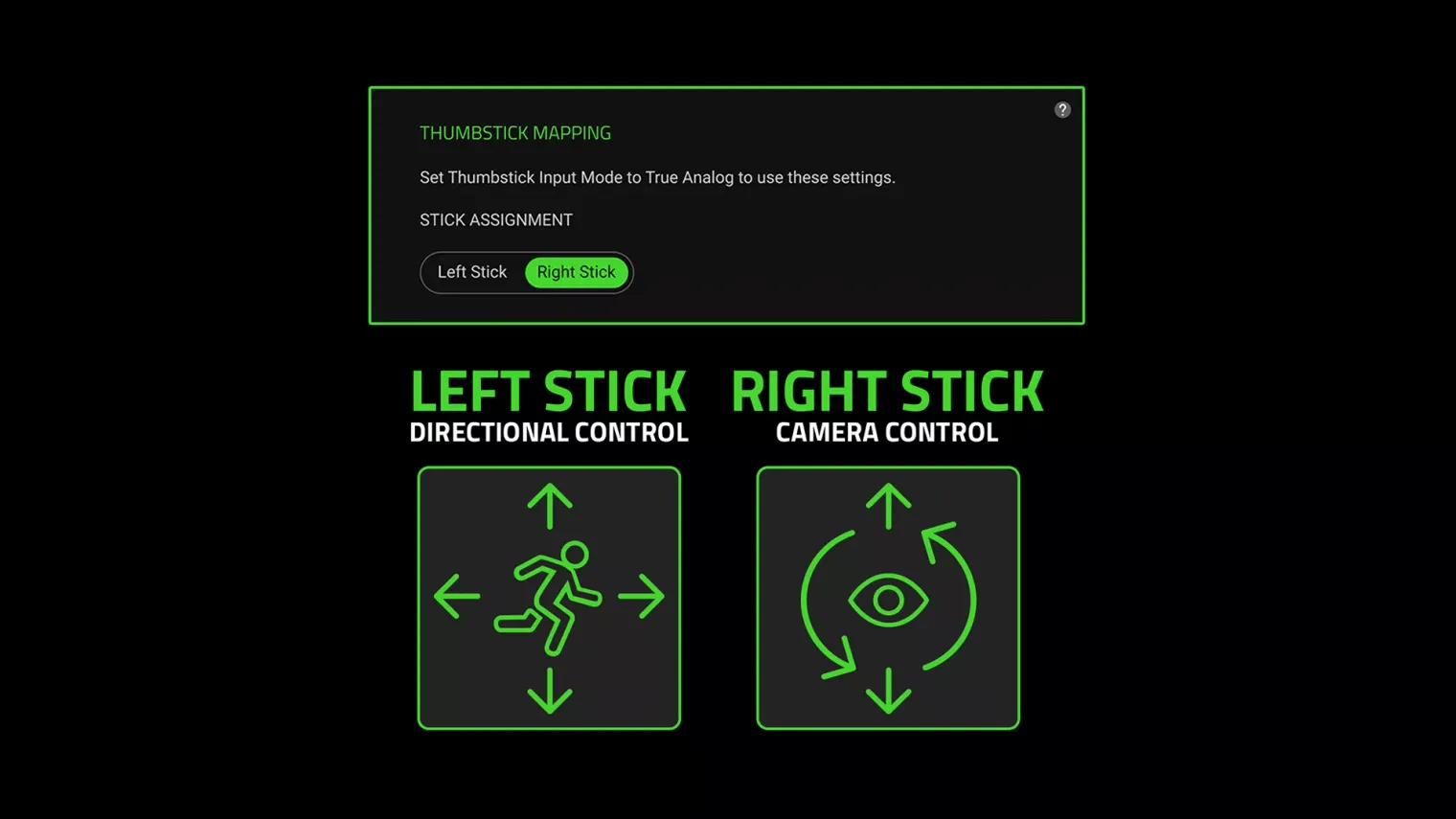
- Thumbstick can now be assigned as left or right analog stick. The update allows players to configure controls around their preferred playstyle, with left-stick assignment enabling character movement while aiming with a mouse in compatible games.
- Two orientation settings provide directional mapping flexibility. Default mode matches physical thumbstick movement to directions, while Rotated mode shifts the mapping by 90 degrees for players accustomed to the original behavior.
- Razer prioritized user feedback in developing the update. The company stated, "We heard that feedback, and these options are now available with the latest firmware update through Razer Synapse."
- Visual diagrams help users understand directional mapping before gameplay. Razer Synapse displays on-screen diagrams that update as users change orientation settings, allowing configuration verification prior to gaming sessions.
- Setup process requires minimal steps through Razer Synapse software. Users connect the device, update firmware, select their preferred stick assignment and orientation, then verify the directional mapping before playing.
- Tartarus V2 Pro combines multiple advanced input technologies. The keypad features Razer Analog Optical Switches Gen-2, 8000 Hz HyperPolling, a TMR thumbstick, and 31 programmable controls for comprehensive customization.
Summarized by MalakyeAI